


Shapewear for Backless, Strapless, and Plunge Wedding Gowns: How to Match Silhouette, Support, and Fabric
Best QR Code Wedding Photo Collection Tools
Your photographer can’t be at every table. Your friends, meanwhile, will have the getting-ready selfies, your dad’s dance-floor debut and approximately seventeen photographs of the cake.
Getting those pictures off everyone’s phones takes a little planning. A QR code photo collection tool gives guests somewhere to upload them, usually through their phone’s browser. Put the code on your tables, share the link afterwards, and the photographs arrive in one place.
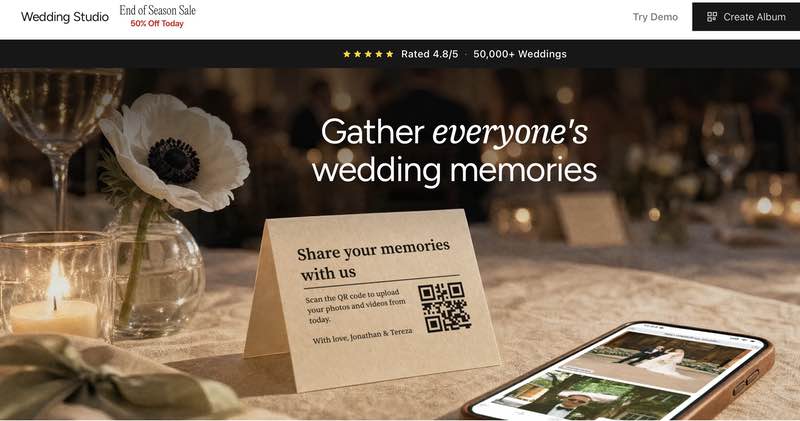
My best overall pick is Wedding Studio. It combines straightforward guest uploads with a personalised album, AI photo categorisation, audio messages, a live slideshow and optional printed keepsakes. The alternatives are worth considering when you have a particular requirement, such as Google Drive storage or invitations and RSVPs.
The shortlist at a glance
These picks reflect the services’ published features and package information, rather than a hands-on performance test.
| Tool | Why consider it? | Main consideration |
| Wedding Studio | Best overall: collection, organisation, live sharing and keepsakes | Plans depend on guest count; printed products cost extra |
| GUESTPIX | Photo collection alongside invitations and RSVPs | Upload periods and customisation vary by package |
| WedUploader | Direct uploads to your Google Drive | You manage the connected account’s available storage |
| GuestCam | Dial-in audio or selfie-based photo finding | Some specialist features require an upgrade or add-on |
| Kululu | Photo-wall presentation and approval controls | Check upload allowances and the plan needed for moderation |
All five offer browser-based QR photo collection. The more useful differences are what happens around that upload: how the album looks, how you organise it, what guests can contribute and what you can do with the photographs afterwards.
1. Wedding Studio: best overall
Wedding Studio would be my first choice for a couple who wants an attractive guest album with enough useful features to carry it beyond the wedding night.
Guests scan your QR code or open a link to contribute photos, videos and audio messages. They don’t need to download an app or create an account. You can personalise the guest page to suit your wedding, and multilingual support is useful when your guest list brings together different languages.
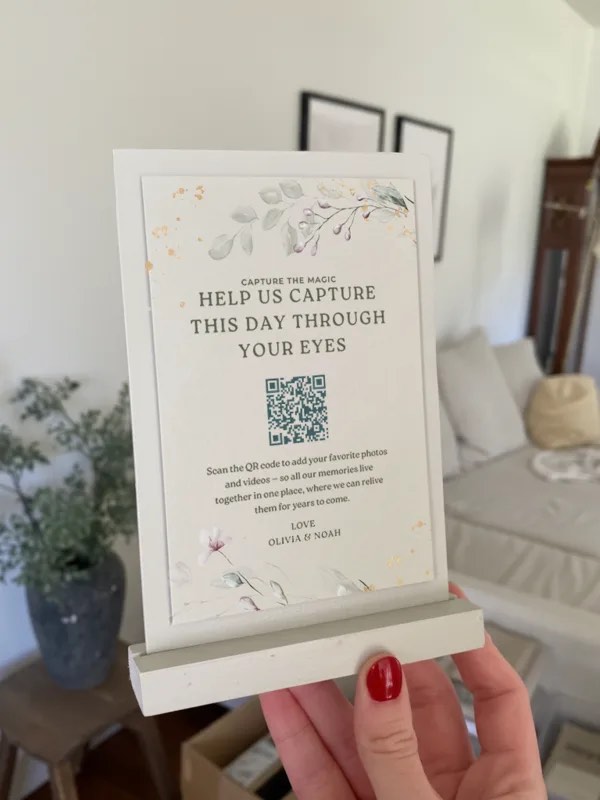
Wedding Studio’s QR Card
I particularly like the attention given to the collection afterwards. AI photo categorisation helps organise photographs by wedding moment, while duplicate detection helps you review repeated uploads. Co-hosts can share the work of managing the album. Separate albums let you keep the rehearsal dinner, wedding and other celebrations organised.
There’s a live slideshow for the reception, too, so you can collect and display guest photographs through the same service. Audio messages give friends and family another way to contribute, and a timed-reveal option lets couples save the surprise.
The printed extras make the overall package especially appealing. You can order QR cards for guests to scan, then create a photobook from the photographs you want to keep close. Those are optional purchases, so include them in your budget rather than assuming they come with the digital album.
US-dollar album prices checked for this draft are $29 for up to 25 guests, $69 for up to 100, and $99 for unlimited guests, paid once. Album access runs until 24 months after the wedding; download your files before that period ends.
For a large guest list, another service’s flat-price package may cost less. My reason for putting Wedding Studio first is the combination of guest collection, personalisation, organisation and keepsakes. You can explore the Wedding Studio demo before deciding.
REAL PEOPLE TALKING
On a Reddit thread about Google Photos QR codes, one couple mentioned they were already using Wedding Studio for their own wedding, with another user noting the top plan they used ran $200 and allowed unlimited uploads. read the post on Reddit
2. GUESTPIX: an alternative for invitations and RSVPs
GUESTPIX makes sense if your photo-collection decision is happening alongside your invitation planning. Its wedding packages combine a QR gallery with a digital invitation and RSVP functionality.
Guests contribute through their browser without an app or account. The wedding packages also include photos and videos, a slideshow, and a written and video guestbook.
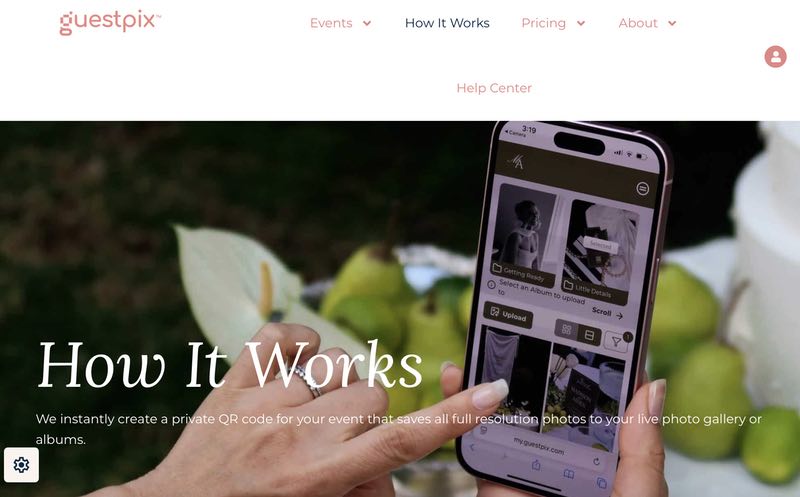
GuestPix
I would pay attention to the package differences. Classic lists a three-month upload period, while Signature extends that to 12 months and adds custom colours and fonts. The Signature Bundle offers separate event galleries.
If invitations and replies are already handled, those extras may matter less. If they’re still on your list, GUESTPIX deserves a closer look. Compare GUESTPIX wedding packages.
REAL PEOPLE TALKING
One bride on X said she ended up with 787 professional photos and 2,109 from her GuestPix album that guests uploaded over the week, and she was looking forward to going through them all. read the post on X
On Reddit, experiences are mixed. Some couples praised how easy it was with no login required and ended up with hundreds of photos, including ones the photographer missed. Others reported slow uploads (one said it took about three minutes per photo) or low participation rates. the post on Reddit
3. WedUploader: an alternative for Google Drive users
WedUploader’s defining feature is where your photographs go: directly into your connected Google Drive account. Guests use a link or QR code to upload through their browser without logging in.
That can appeal if you already organise your photographs in Drive. It also means managing the connected account’s available storage, including space used by videos and other files. Unlimited uploads through WedUploader do not mean unlimited Google storage.
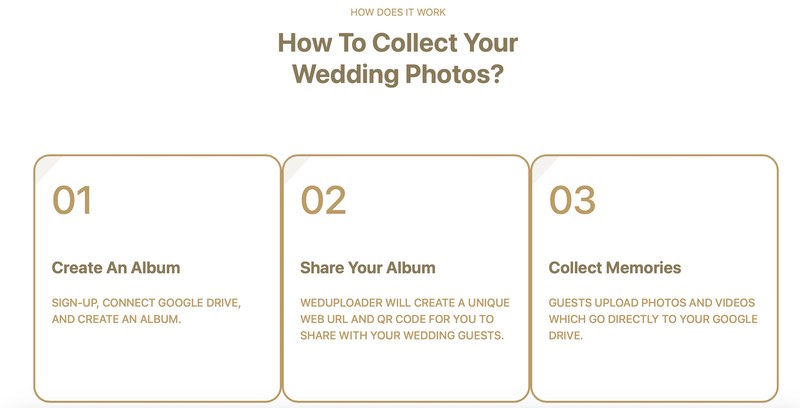
WedUploader
Its premium offering includes a shared gallery, voice messages, customisation and a slideshow. It would be unfair to describe it as only an upload link. The bigger question is whether you want to manage a separate cloud-storage account.
I would favour Wedding Studio for a hosted wedding album with AI photo categorisation, duplicate detection and optional printed keepsakes. WedUploader is the alternative when direct delivery to Drive is your priority. Explore WedUploader’s features and plans.
REAL PEOPLE TALKING
Several couples on Reddit said WedUploader worked well for them because guests didn’t need an app or a Google account, and the photos landed straight in their Drive. One noted it was a last-minute addition that paid off with immediate photos before professional ones arrived. Others pointed out that the free tier has been phased out. read the post on Reddit
4. GuestCam: an alternative for dial-in audio and photo finding
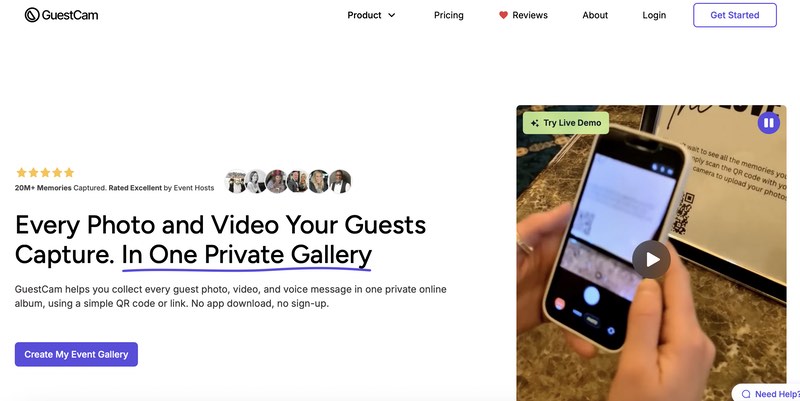
GuestCam includes browser-based photo and video collection, an audio guestbook and a live slideshow. Wedding Studio also offers audio messages and a live slideshow, so those shared features alone would not change my overall recommendation.
GuestCam
The more specific reasons to consider GuestCam are its dial-in audio option and optional MagicFind feature. Premium adds a phone number guests can call to leave messages. MagicFind uses a selfie to help guests find photographs they appear in, which may appeal if you plan to add professional photographs to the collection.
For those particular requirements, compare the relevant package and add-on costs, and read the privacy explanation before enabling face search. See GuestCam’s plans.
REAL PEOPLE TALKING
In one Reddit thread comparing GuestCam and GuestPix, a couple who used GuestCam said they got close to 1,000 photos and videos plus some voicemails across multiple galleries, and guests found it easy. Others liked that you can demo it first. Participation still varies by crowd. read the post on Reddit
5. Kululu: an alternative for photo-wall controls
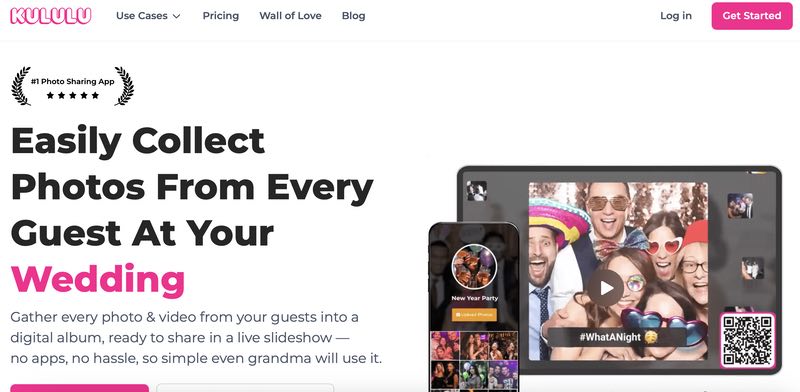
Kululu puts the live photo wall at the centre of its offering. Guests scan a QR code to contribute photos and videos, which can appear on a screen during the event. There’s also a digital album and support for captions.
Kululu
Wedding Studio already includes a live slideshow, so you don’t need another service simply to display guest photographs during the reception. Kululu is worth comparing if its particular wall presentation or approval-before-display controls are important to your plans. Its published guidance associates moderation with Pro.
Whichever tool you choose, decide who will connect the screen and where it will sit. Check the package’s upload allowances as well as the display features. Explore Kululu’s plans.
REAL PEOPLE TALKING
Reddit users who tried Kululu often highlight the live photo wall and how straightforward the scan-and-upload process feels, even for older guests. One couple reported over 600 uploads and said the slideshow created funny moments during dinner. Others noted it worked well for high participation when the wall was visible. read the post on Reddit
How I would choose
Start with your guest count and the experience you actually want. Is the priority collecting files, letting everyone browse an album, entertaining guests with a screen, or making something printed afterwards?
Then compare the complete cost. Include the plan that covers your wedding, specialist add-ons, printing and additional cloud storage. Check the upload deadline separately from the download or hosting deadline.
Finally, try the guest journey on someone else’s phone. Open the link, upload a photograph and see what happens next. That small rehearsal is more useful than another evening comparing homepages.
Wedding Studio is my best overall choice for couples who want easy guest collection, audio messages, a live slideshow and useful photo-organisation features together. Personalisation and the option to order printed keepsakes round out the experience. Choose an alternative when its particular strength solves a requirement you already have.
A few common questions
Do wedding guests need to download an app?
Not with the five tools in this shortlist. They support uploads through a browser using a QR code or link. It’s still worth testing the process before printing your signs.
Is a free QR code enough to collect wedding photographs?
The code needs to open somewhere guests can upload. A free code pointing to an unsuitable folder won’t solve the collection problem. Check upload permissions, available storage and whether guests can see one another’s photographs.
Which tool combines guest photos with printed QR cards and photobooks?
Wedding Studio offers all three, which is a major reason it takes my overall recommendation. The digital album collects the photographs; printed QR cards and photobooks are optional paid products. Budget for the combination you want, then download a separate copy of your photographs for safekeeping.
- About the Author
- Latest Posts

Emmeline loves to follow fashion – and then break all the rules! She’s super creative and has written and designed various print and online magazines for over 20 years.